Open Search Console, see hundreds of URLs under "Not found (404)", and most site owners start to panic. The first instinct is usually to make them all go away somehow: redirect every broken URL to the homepage, or find some target, any target, for each one.
But 404 errors are not a disaster on their own, and fixing them the wrong way can do real damage. This post covers when 404s actually affect SEO, which ones are worth fixing, why soft 404s are the sneakier problem, and how Sem CMS helps you catch and fix broken links.
TL;DR: 404s are a normal part of the web and don't drag down your site's overall rankings by themselves. The real problems are losing a page that earned links or traffic, broken internal links, and soft 404s: pages that say "not found" but return a 200 status. Redirect moved pages to their new address with a 301, let genuinely removed pages with no replacement return 404, and never send everything to the homepage.
What is a 404 error?
A 404 is the HTTP status code a server returns when there is no page at the requested address. A deleted post, a changed slug, a mistyped link or a URL that never existed all produce it. Its close relative, 410, says "this page has been permanently removed"; in practice Google treats the two very similarly.
What matters is that a page that truly doesn't exist truly returns a 404. That's how search engines know to drop the URL from the index over time and stop crawling something that isn't there.
Do 404 errors hurt SEO?
Google says plainly that 404s don't harm how the rest of your site ranks. It's normal for old campaign pages, discontinued products or mistyped URLs to return 404. But 404s turn into a real loss in a few situations:
- Pages with backlinks: When a page that other sites link to starts returning 404, the value of those links goes to waste.
- Pages with traffic: Visitors arriving from search, social or bookmarks land on an error page, and many simply leave.
- Broken internal links: Links from your own menus or posts that lead to a 404 dead-end both visitors and crawlers. On large sites they also waste crawl budget.
Soft 404s: the real danger
A soft 404 is a page whose content says "not found", or is empty, but which the server returns with a 200 (OK) status. Search engines try to index it, find nothing of value and flag it as a soft 404 in Search Console. Common examples:
- Error pages that say "Page not found" but return 200.
- Archive pages that show an empty list when someone requests a page number that doesn't exist (
/blog?page=99). - Redirecting every 404 to the homepage. Google generally treats mass redirects to an irrelevant page as soft 404s too.
How to find 404 errors
- Search Console: The "Not found (404)" and "Soft 404" rows in the page indexing report.
- Server logs: The rawest view of which URLs return 404 and how often.
- Site crawlers: Crawl the whole site and list broken internal links.
- CMS-level monitoring: A tool that shows the 404s real visitors hit, with hit counts, makes priorities obvious.
How to fix each kind of 404
| Situation | What to do |
|---|---|
| The page moved to a new URL | 301 from the old URL to the new one |
| The page was removed, but a replacement exists | 301 to the closest relevant page |
| The page was removed with no equivalent | Let it return 404 |
| A mistyped link on your own site | Fix the link itself |
| A mistyped link on someone else's site | 301 to the correct URL |
| Junk URLs probed by bots | Ignore them |
We cover the difference between permanent and temporary redirects in detail in 301 vs 302 redirects. The rule of thumb: a redirect is right when it takes the visitor somewhere genuinely close to what they were looking for.
How to prioritize
- Hit count: A URL dozens of visitors land on every day comes before one requested once a month.
- Backlinks: Broken URLs that other sites link to are losing value, so they move up the list.
- Internal links: Broken links on your own site are entirely under your control; fix them right away.
- Recently changed URLs: 404s that appear after a site migration or a URL structure change usually point to a systematic gap. Our website migration SEO checklist covers this.
Think before you delete
The easiest 404 to fix is the one that never happens. A few questions before you delete an old post or page save far more work than hunting for redirects afterwards:
- Is it getting traffic? Updating a page people still visit is usually worth more than deleting it.
- Does it have backlinks? If a linked page has to go, plan a 301 to the closest relevant page.
- Can it be merged? Folding several thin posts on the same topic into one strong post and redirecting the rest is a solid approach.
- Who cleans up internal links? Update the menu items and in-text links that point to the deleted page.
What a good 404 page looks like
- It returns a real 404 status code, not 200.
- It keeps your site's design, so visitors know they're still in the right place.
- It explains what happened in plain language without blaming the visitor.
- It offers a way out: a search box and links to popular sections.
- It doesn't bounce visitors to the homepage after a few seconds.
404 checklist
- Does your error page actually return a 404 status code?
- Do empty archive pages or non-existent page numbers produce soft 404s?
- Does every moved page have a 301?
- Are you avoiding a blanket "send everything to the homepage" redirect?
- Have you fixed broken internal links on your own site?
- Do you review your most-hit 404s regularly?
404 monitoring and fixing in Sem CMS
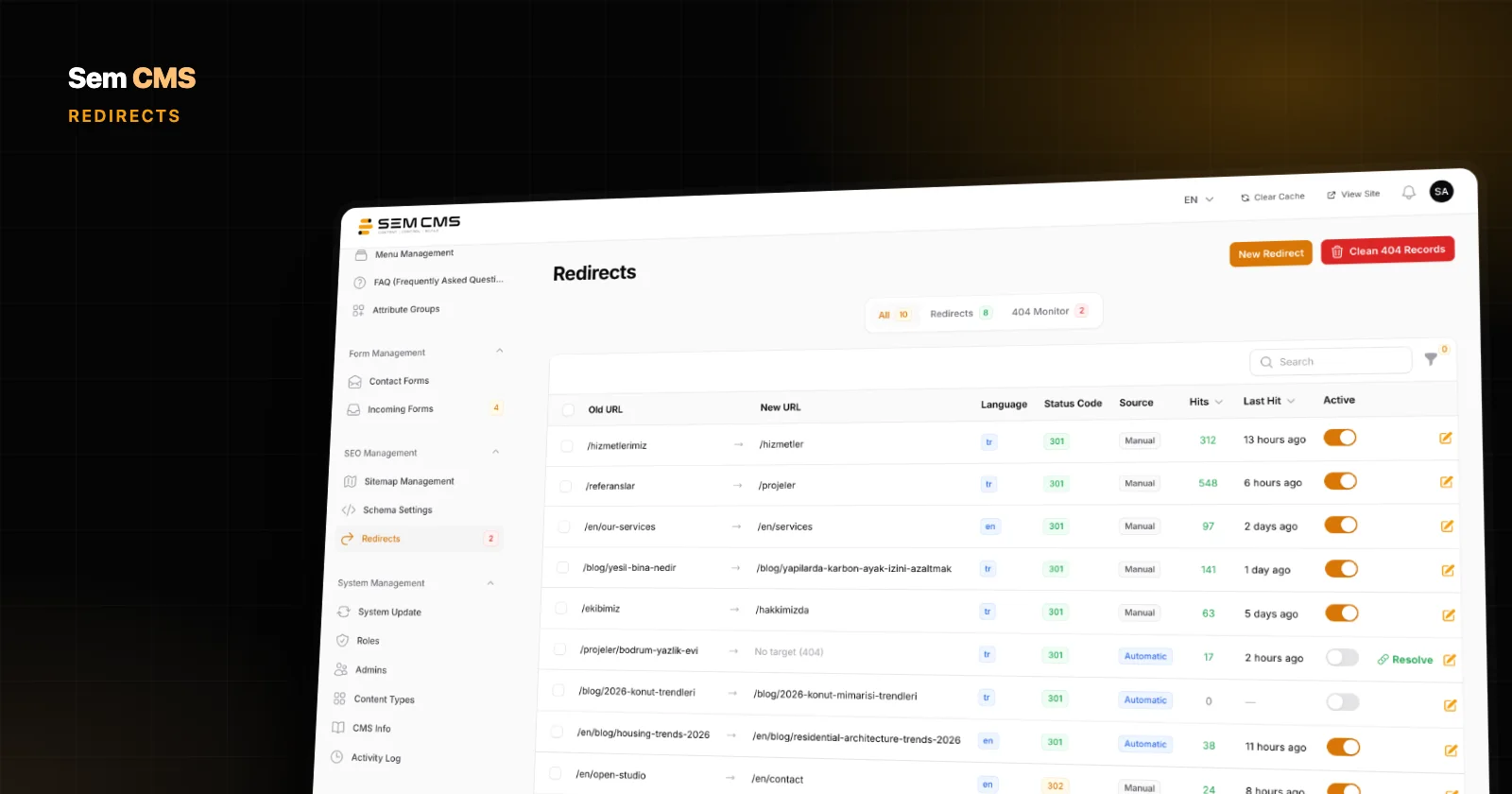
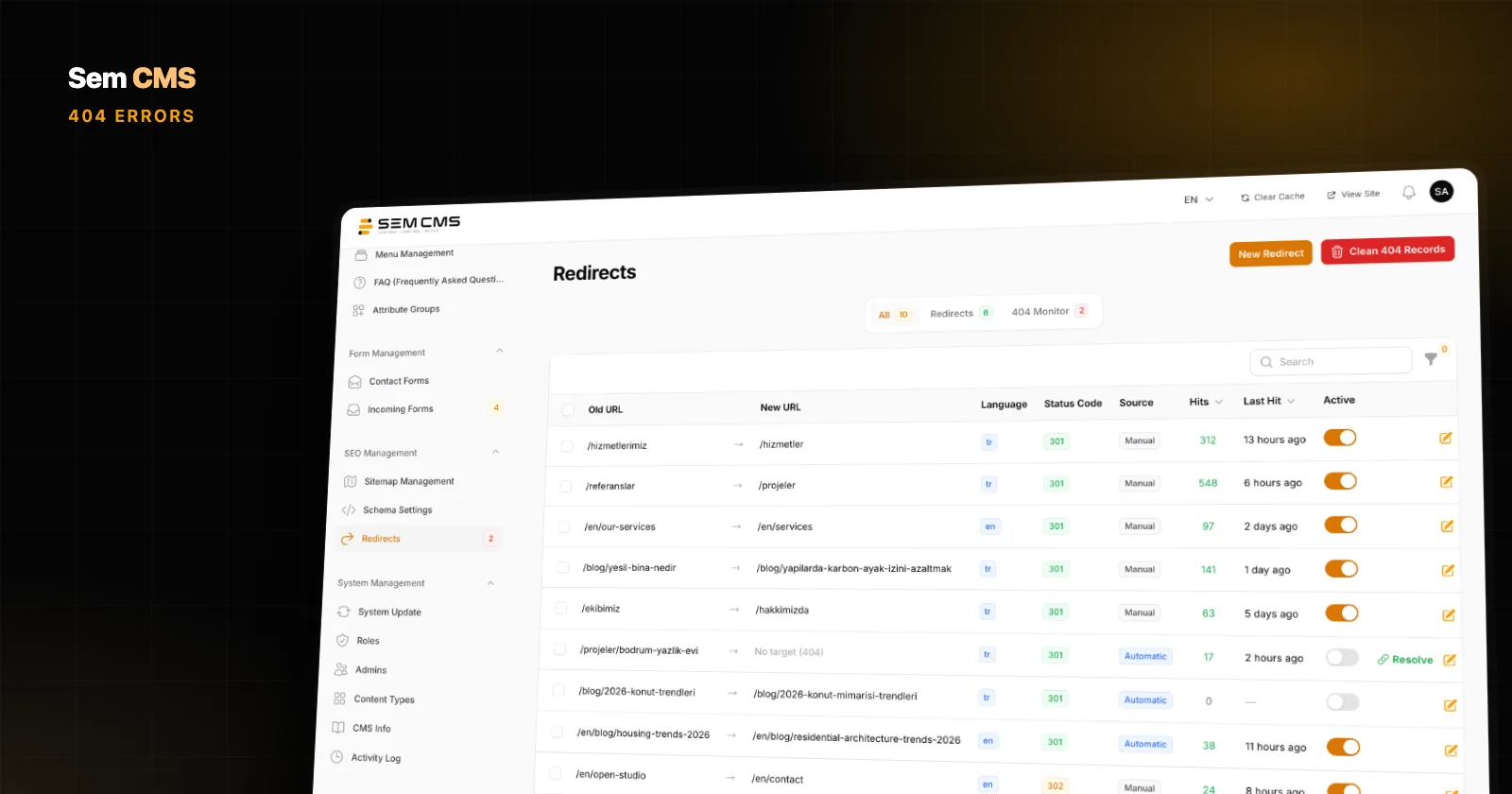
In Sem CMS, 404s hit by real visitors are listed on the panel's Redirects screen as entries without a target. Each URL's hit count and last hit time are recorded, so the most-requested broken URLs set the priorities for you. Requests from known bots and security scanners (for example, probes for admin panels or configuration files) are never logged, so the list contains only errors that actually need your attention.
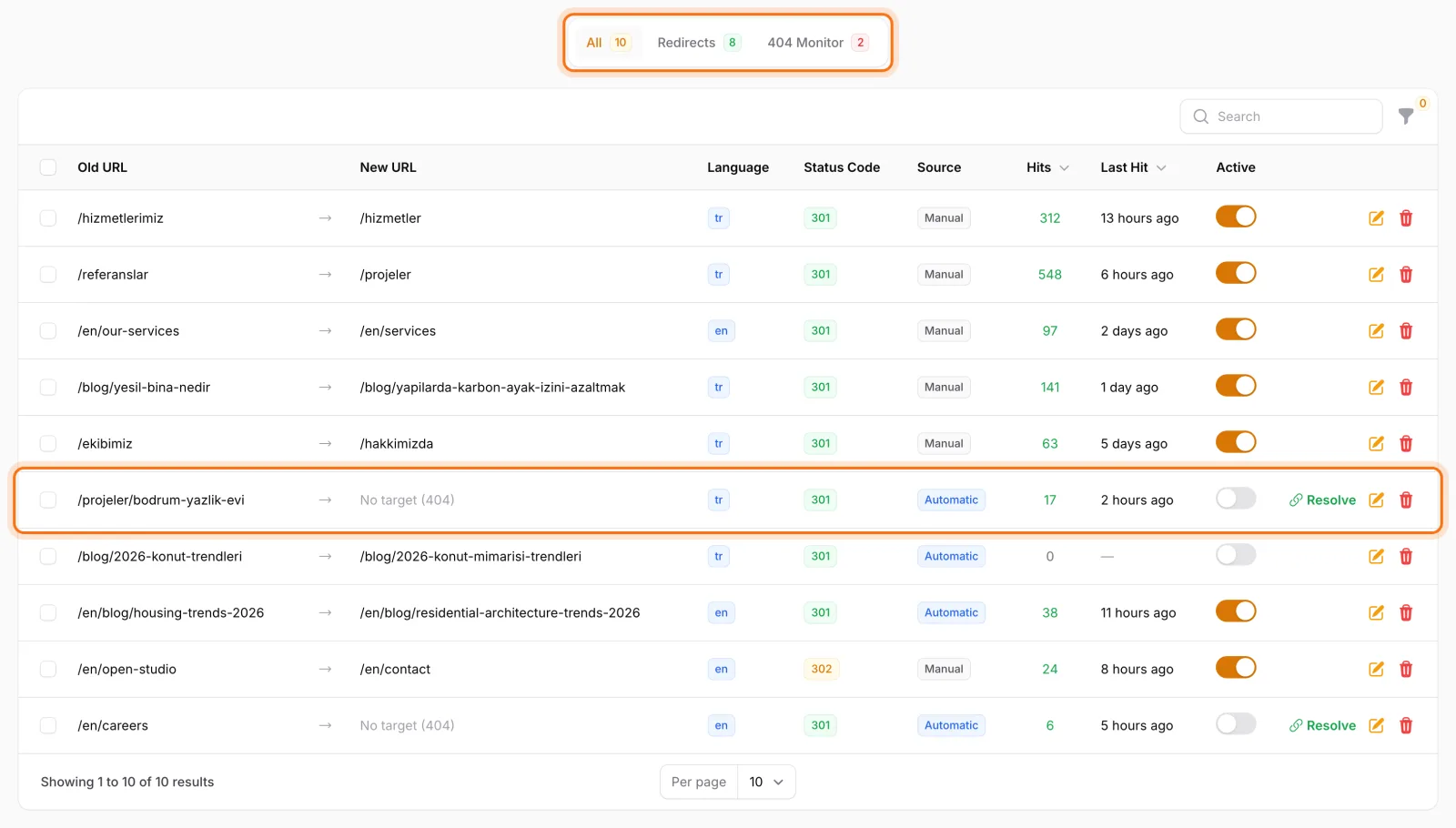
To fix a 404, click Resolve on its row and enter the target URL and status code (301 permanent or 302 temporary). The entry becomes an active redirect right away, and visitors to the old URL reach the new page. A loop check runs as you enter the target; if the redirect would create a loop, it isn't saved and you get a warning. Unresolved 404 entries that haven't been requested for 30 days are pruned automatically, so the list doesn't balloon over the years.
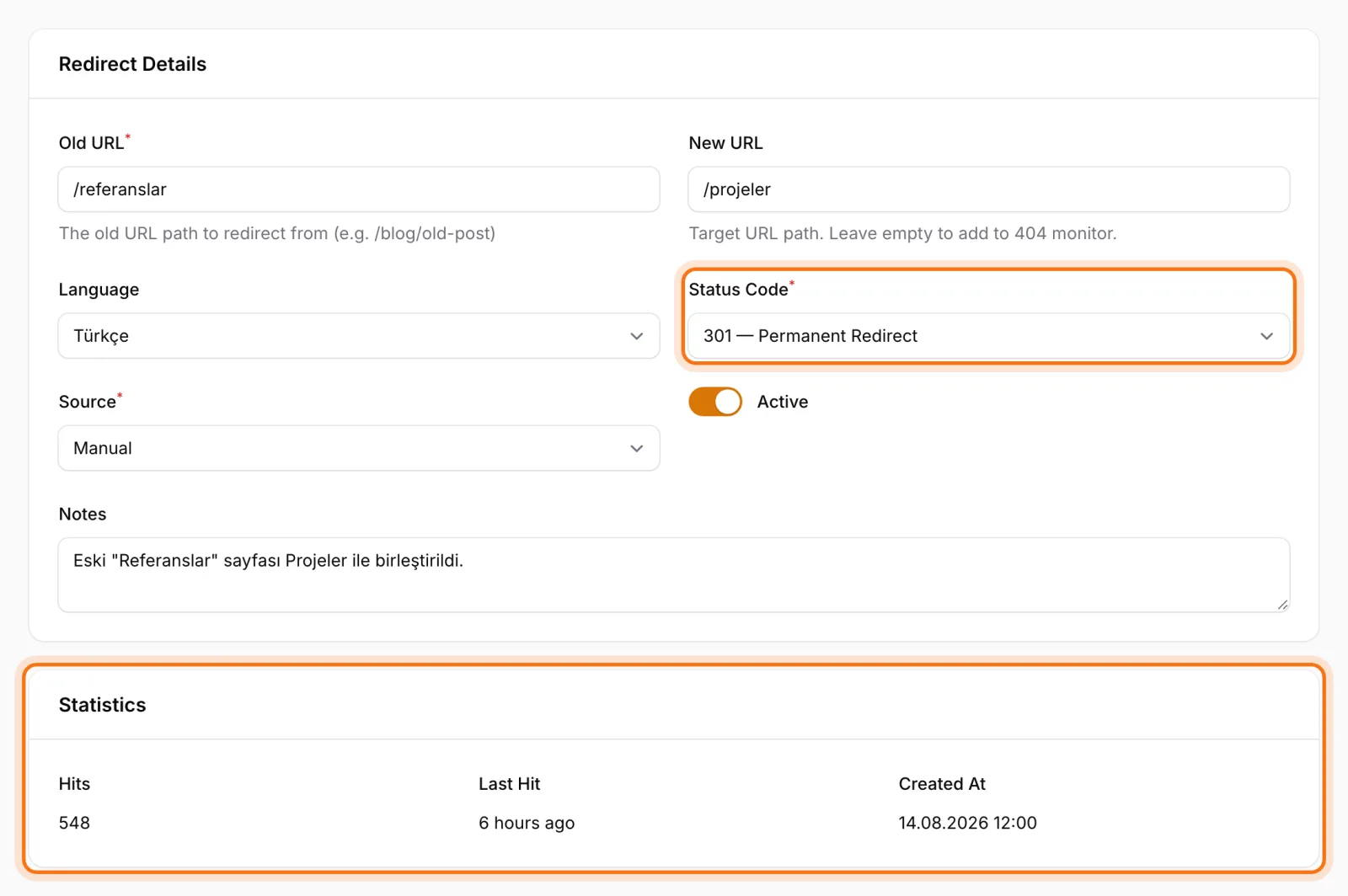
Sem CMS also cuts down on 404s before they happen:
- When a slug changes: a 301 record from the old URL to the new one is prepared automatically for each changed language, ready for you to review and activate.
- When a URL pattern changes: 301 records are prepared for every affected item.
- Against conflicts: a URL that's already taken is flagged while you type the slug.
- Against soft 404s: listing pages return a real 404, not an empty page, when someone requests a page number that doesn't exist. The default error page is served with a 404 status and
noindex.
Bottom line
Instead of fearing 404s, learn to read them. Not every 404 is a problem, but the ones that get hits, have backlinks or come from your own links deserve a fix. The right tool separates real visitors' errors from the noise and turns the fix into a single step.
For the details of redirect management, read URL management and 301 redirects; for the wider technical SEO foundation, see SEO-friendly CMS. Explore every capability on our Features page, or request a demo to talk through your own site.