A page's URL carries its entire search history. The backlinks it earned over the years, the social shares, the rankings: all of it is tied to that address. Then an editor tidies up a title and changes the slug, or the site structure gets reorganized, and the old address starts returning 404. All that accumulated value quietly disappears.
In most systems, managing that risk falls to a separate redirect plugin, a spreadsheet and somebody's memory. In this post we look at how to build a clean, SEO-friendly URL structure, why 301 redirects are non-negotiable, and how Sem CMS protects your URLs from the first pattern you set to the last broken link you fix.
Why clean URLs matter for SEO
A good URL tells both people and search engines what a page is about. An address like /projects/residential/sea-house is easier to understand, more likely to be clicked and easier to share than /?p=482. But the real win is consistency: when every item of the same type follows the same pattern, your site architecture becomes readable to search engines.
The second rule matters even more: if a live URL changes, the old address must point to the new one with a 301 permanent redirect. A 301 tells search engines "this page has moved for good" and lets the old address pass its value on to the new one.
In Sem CMS, the first step toward a clean URL happens on its own. When you type a title, the slug is generated automatically and special characters are converted to URL-friendly equivalents: a Turkish title like "Işıklı Çatı ve Güneş Odası" becomes isikli-cati-ve-gunes-odasi. No encoded characters, capital letters or spaces in your addresses. If you want a shorter slug, or one tuned to a keyword, the field is always editable.
Custom URL patterns per content type, per language
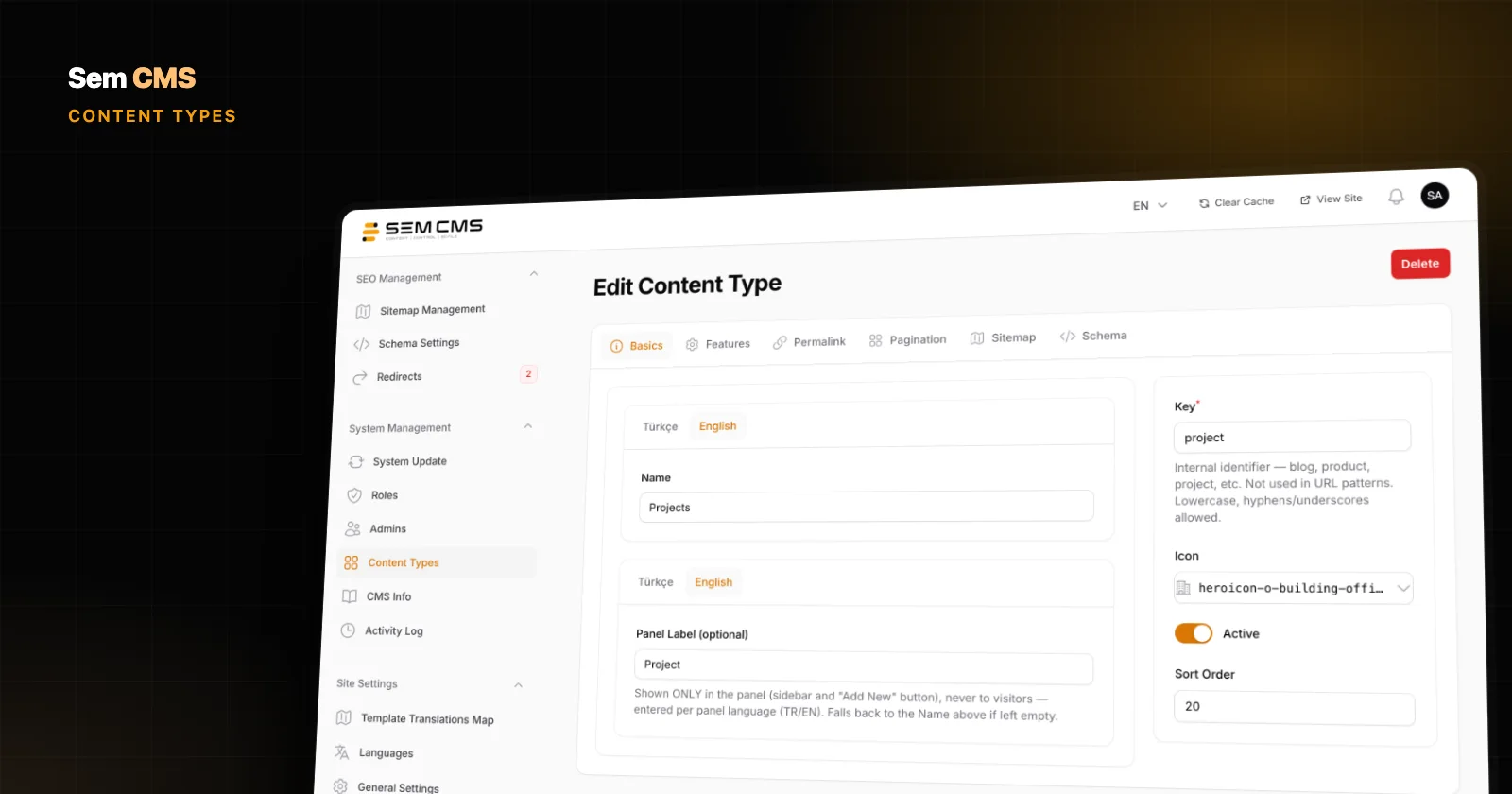
In Sem CMS, every content type has a Permalink tab on its edit screen. That's where you define the URL pattern for its items, separately for each language. You can build the pattern from these variables, which are listed right below the field:
{{ slug }}: the item's short name{{ id }}: the item's number{{ listing_page }}: the content type's listing page{{ category_path }}and{{ category_slug }}: the full category path, or just the category name{{ parent_slug }}: the parent category
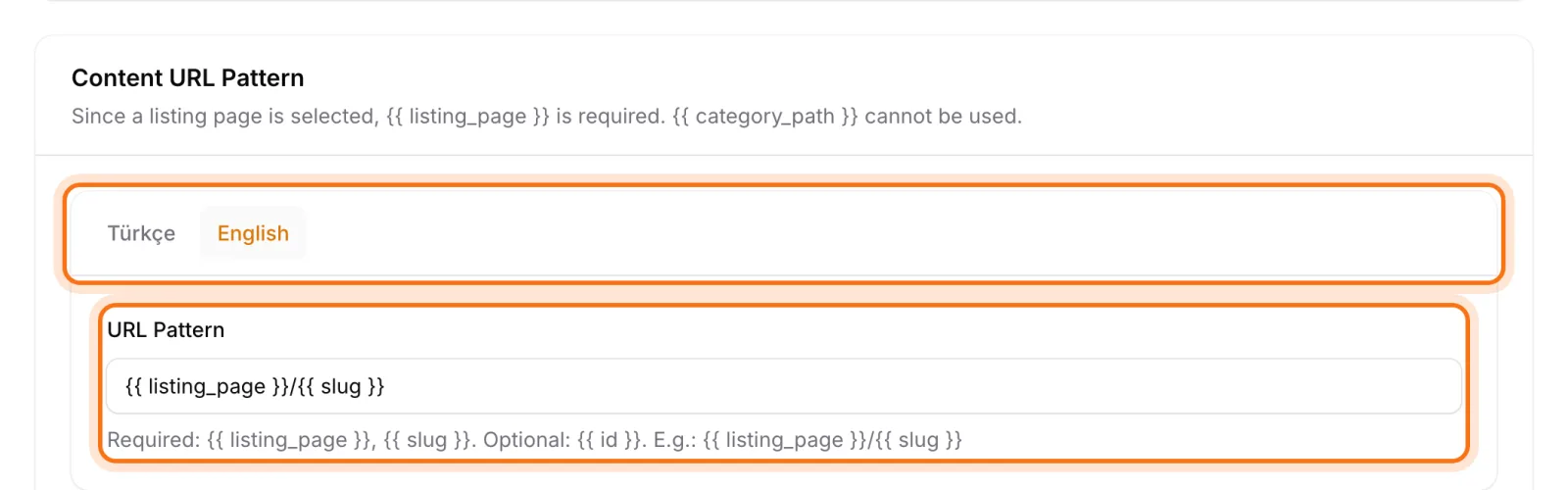
So your Turkish site can use /projeler/{{ category_slug }}/{{ slug }} while the English site uses /projects/{{ category_slug }}/{{ slug }}, each in the language of its market. The system rejects any variable it doesn't recognize, so a single typo can't produce hundreds of broken URLs. Category, tag and author pages get patterns of their own, too.
Change a slug, and the 301 is prepared for you
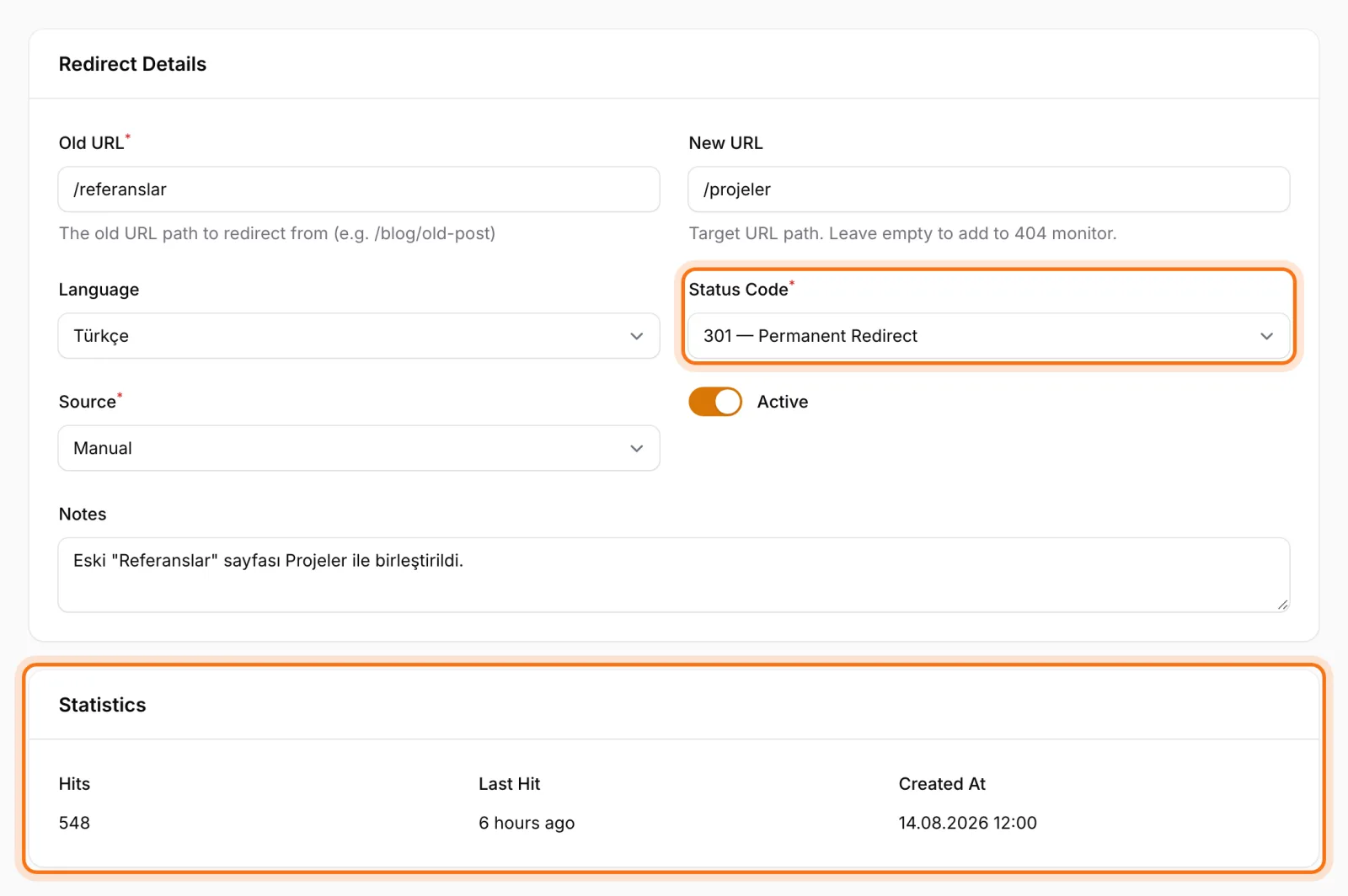
When you change a post's slug, Sem CMS doesn't forget the old address. A 301 redirect from the old URL to the new one is created automatically, for each language that changed. Editing the English slug leaves the Turkish URL alone; only the language that actually changed gets a record.
The same goes for bigger changes. Change a content type's URL pattern, say by adding the category to every address, and the system prepares 301 records for every affected item. Nobody has to compile a list of hundreds of old URLs by hand.
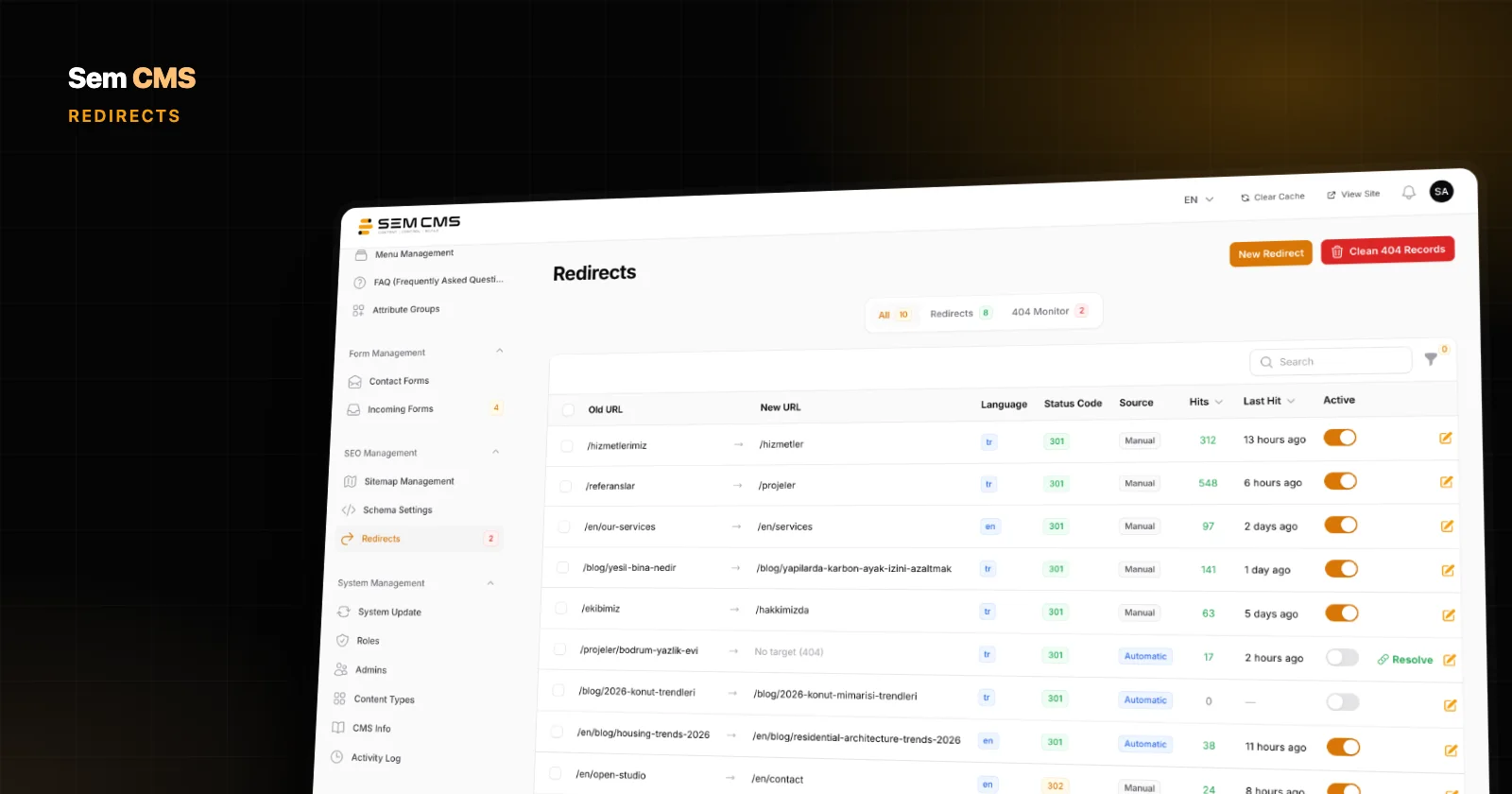
Automatically created redirects land in the list tagged Automatic and switched off. You stay in control: filter the list, review it and activate everything in one bulk action. A quick typo fix never turns into a live redirect without your say-so.
No redirect chains, no loops
When a page moves several times, chains build up: A goes to B, B goes to C. Every extra hop slows crawling and weakens the signal. When a new redirect is added, Sem CMS collapses existing chains into a single hop, so A now goes straight to C.
Loops are covered twice:
- A warning while you edit: As soon as you enter the target URL in the redirect form, the system checks whether the record would create a loop and warns you if it would.
- Protection at runtime: If a loop is detected on the visitor side (with a 10-hop limit), the redirect involved is switched off automatically and the reason is written to its notes. Your site never gets stuck in an endless redirect.
A redirect manager on one screen
The Redirects screen in the panel brings every redirect into one list. Each record shows the old and new URL, the language, the status code (301 permanent or 302 temporary), the source (automatic or manual), whether it's active, and any notes. You can filter by source, language and status, and activate or deactivate records in bulk.
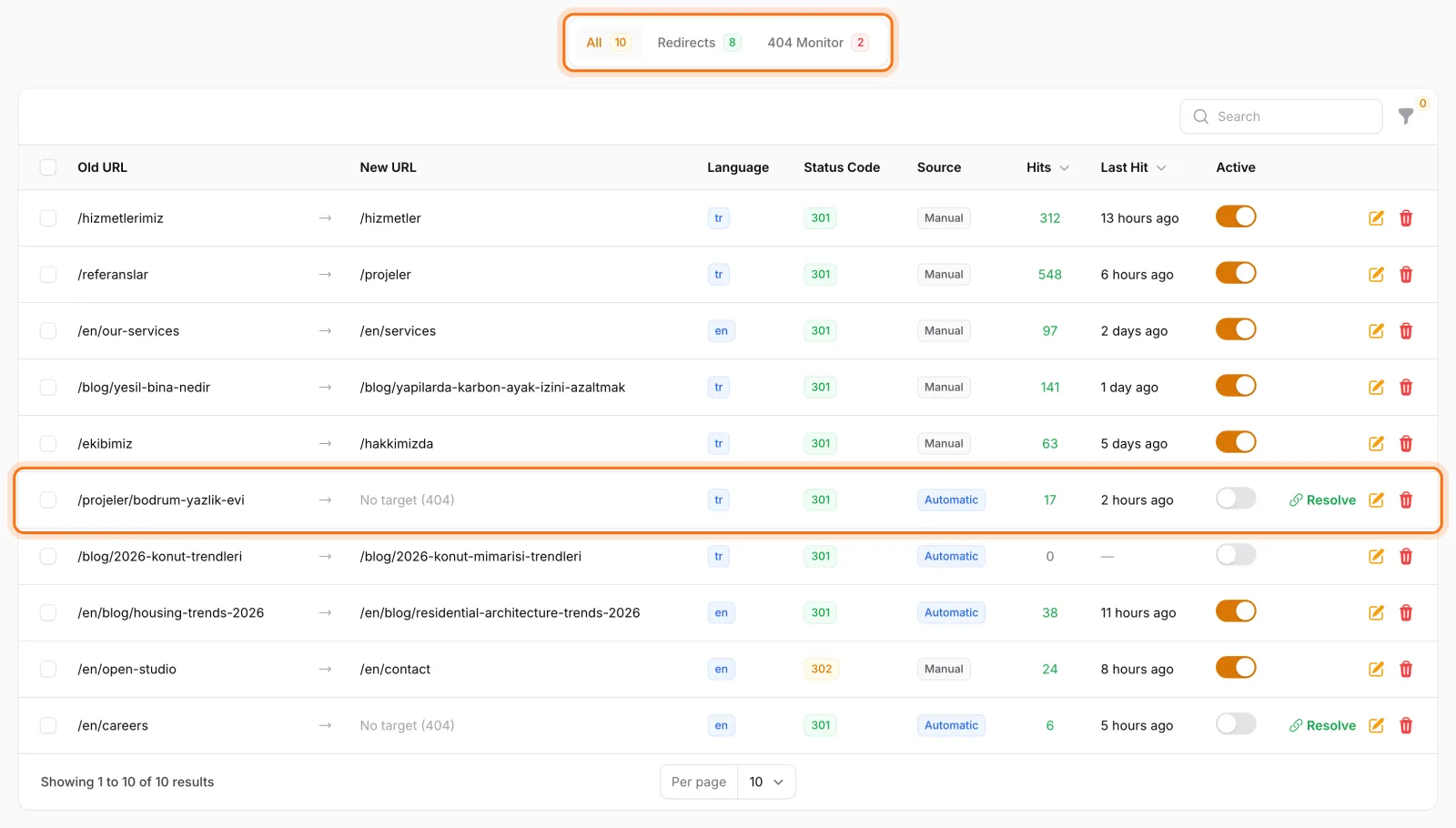
Every redirect keeps a hit count and a last hit time, so you can see which old URLs still get traffic. Cleaning out records nobody has touched in years, or rechecking where a busy old address points, becomes a decision based on data rather than guesswork.
Moving to Sem CMS from another system? Add your old site's URLs as manual redirects. A redirect with no language set applies to every language, and the notes field tells everyone on your team why a redirect exists. For a short-lived campaign, choosing a temporary 302 instead of a permanent 301 is a single dropdown away.
404 monitoring: spot broken links before your visitors do
404s hit by real visitors are logged in the same list as records without a target. You see how many times each one was requested and when it was last hit, so the broken links that matter most rise to the top on their own. Junk requests from bots and vulnerability scanners are never logged, which keeps the list down to errors that actually deserve your attention.
Fixing a 404 doesn't mean creating a separate record. Click Resolve on the row, enter the new URL and status code, and the 404 entry becomes a redirect record. Switch it on and visitors to the old address reach the new page. The loop check runs here as well. Unresolved 404 entries that haven't been hit for 30 days are pruned automatically.
A redirect history for every item
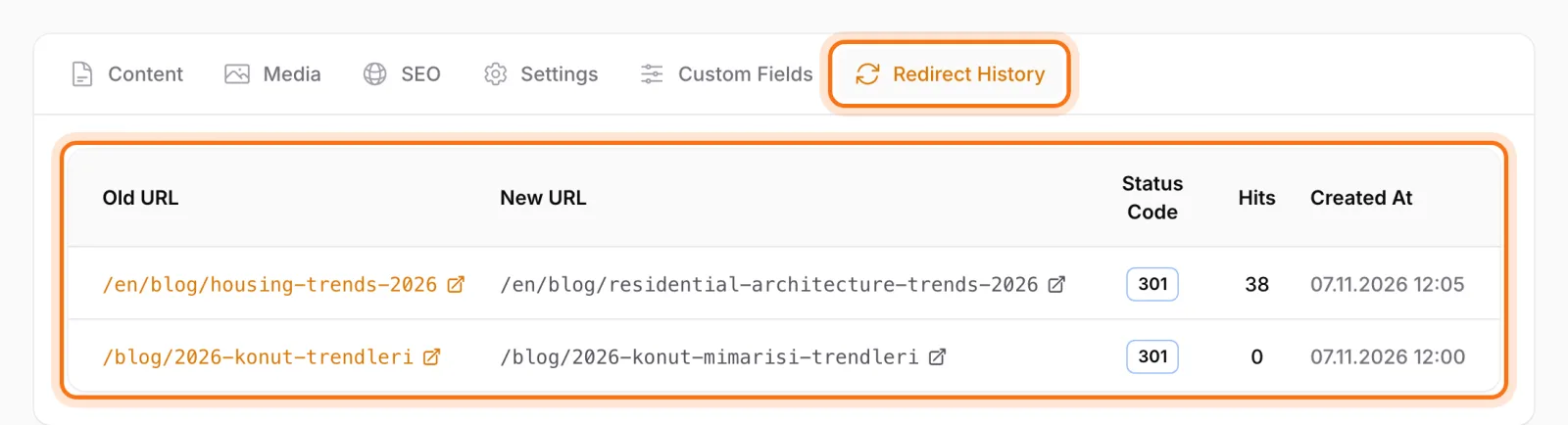
The edit screen of every blog post, page, category and tag has a Redirect History tab. You see every redirect pointing to that record right inside the content, without searching the full list. "What were this page's old URLs?" is always one click away.
Protection against URL conflicts
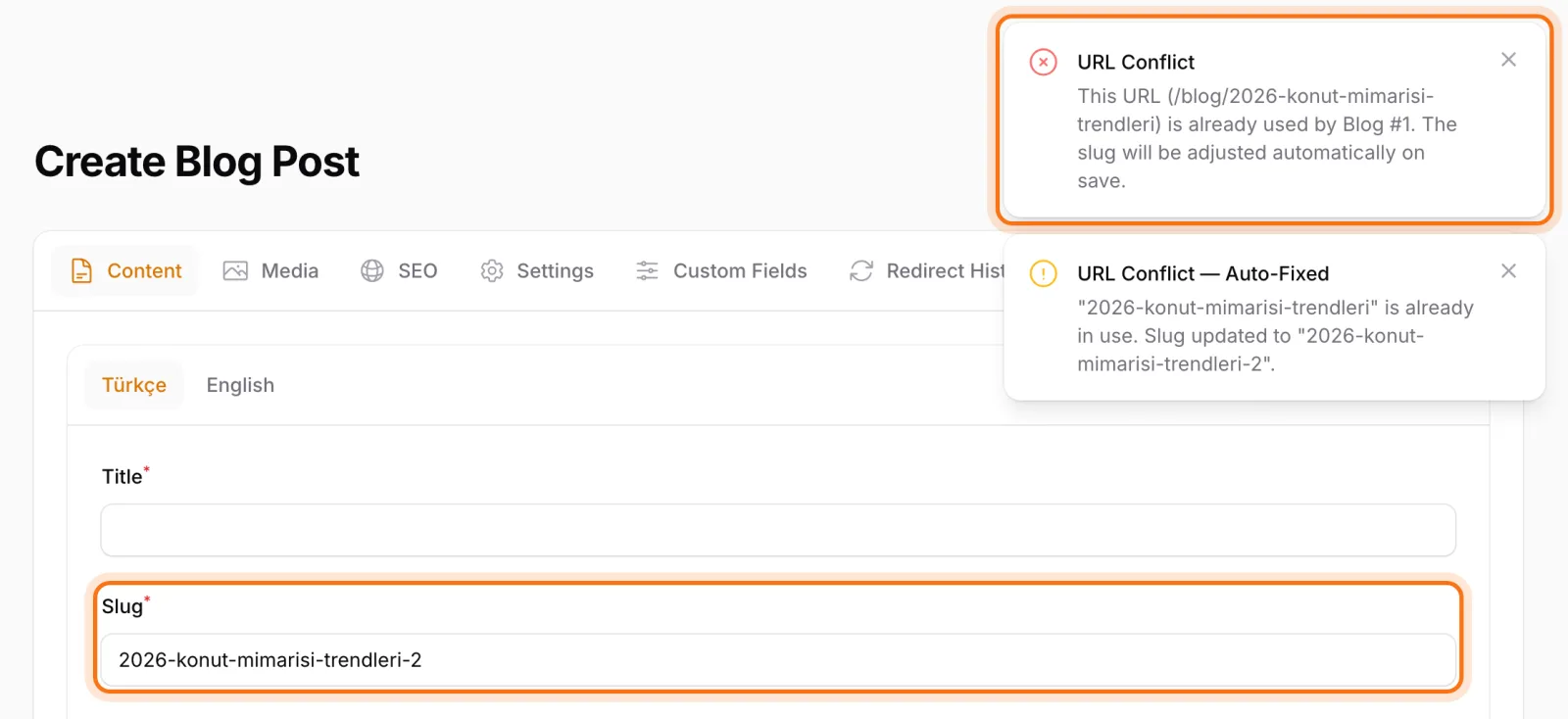
Content items, pages, categories, tags and author pages all share the same URL space. When two records claim the same address, one of them becomes invisible. Sem CMS prevents this on three levels:
- While you type a slug, you get an instant warning if another record already uses that address.
- If you save with the same slug anyway, the system appends
-1,-2and so on to the new record's slug, so the existing page is never overwritten. - The Analyze All URLs button on the URL Settings screen scans the entire site for potential conflicts between patterns.
After a pattern change, the site's URL index is rebuilt in the background. On large sites the panel stays responsive, and you get a notification when the job is done.
Bottom line: your URLs are SEO equity, so protect them
URL management looks boring right up until a migration wipes out half your traffic. In Sem CMS, per-language URL patterns, 301 records prepared automatically on slug and pattern changes, chain and loop protection, 404 monitoring and conflict prevention all belong to one system. You can grow and restructure your site without being afraid of touching a URL.
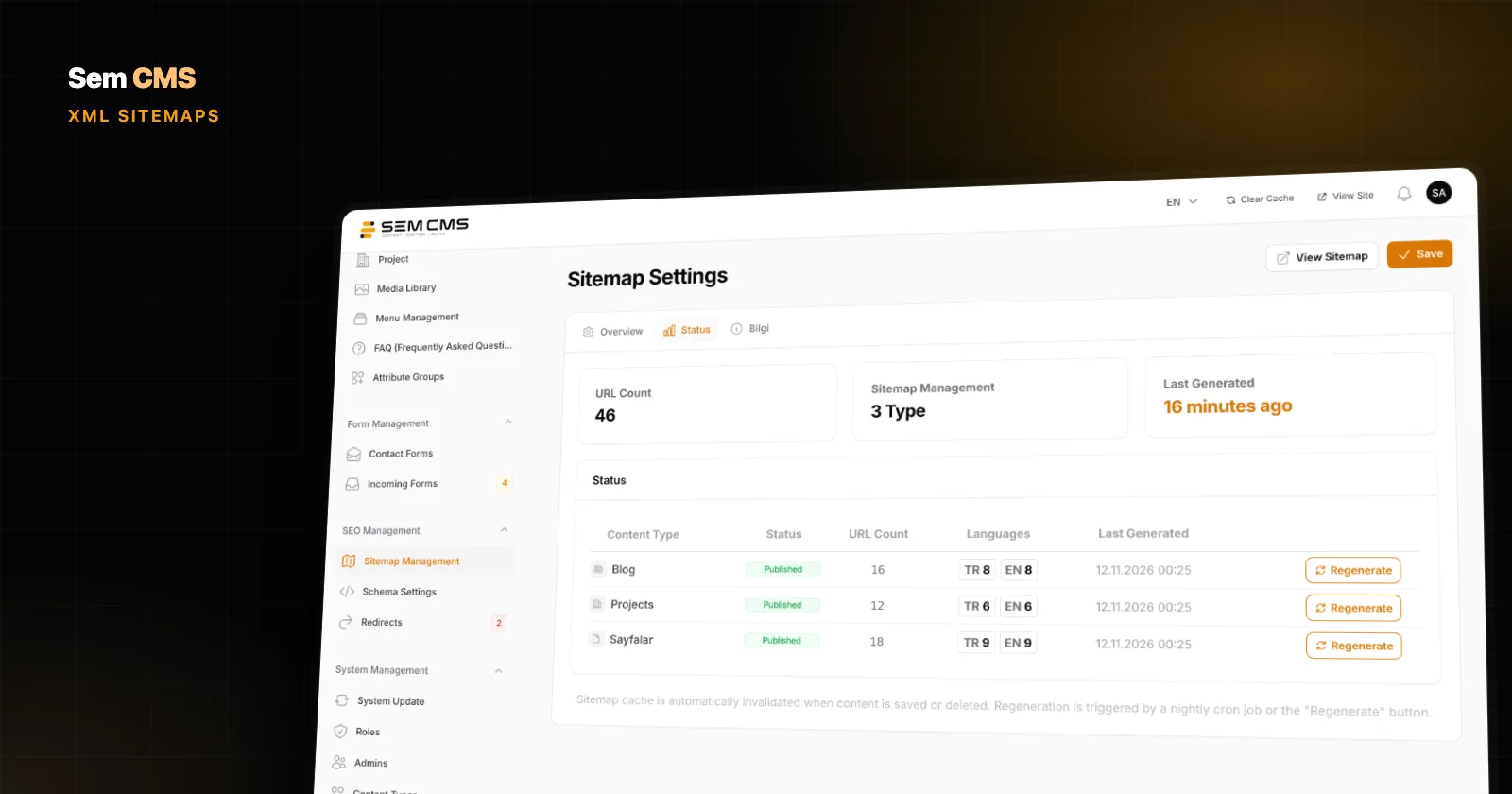
This is part three of our SEO series. Learn how new URLs get announced to search engines in our post on automatic XML sitemaps, and read about meta tags and canonicals in What makes a CMS SEO-friendly. Browse everything on our Features page, or get in touch to talk about migrating your current site.