You changed a page's URL, pointed the old address at the new one and moved on. Weeks later Google is still showing the old URL, and the new page isn't ranking where you expected. More often than not the redirect itself works fine. The problem is the status code: a temporary redirect was used for a permanent move.
The opposite mistake is just as annoying. A permanent redirect set up for a one-week campaign keeps firing in some visitors' browsers long after you've removed it. This guide covers the difference between 301 and 302 redirects, when to use each, where 307 and 308 fit in, and the redirect mistakes we see most often.
TL;DR: a 301 says "this page has moved for good"; a 302 says "this page is somewhere else for now". Use a 301 permanent redirect for every lasting change (slugs, domains, site structure) and reserve 302 for situations you'll genuinely reverse. Google can pass signals through both, but it uses the code to decide which URL stays in the index. Avoid chains, and keep redirects in place for at least a year.
What are 301 and 302 redirects?
When a browser or a crawler requests a URL, the server answers with a status code. Codes in the 3xx range mean "what you're looking for lives at another address", and the response includes that new address. Visitors don't notice anything; the browser simply follows along. What makes the difference is the message each code sends to search engines and browsers.
- 301 Moved Permanently: the old URL is retired. Search engines gradually drop it from the index and show the new one instead.
- 302 Found (temporary redirect): the content is elsewhere for now, but the original URL is still the real one. Search engines usually keep the old URL indexed.
301 vs 302: what changes for SEO?
For years the received wisdom was that "302s don't pass link equity". Today Google states plainly that signals can pass through both kinds of redirect. The real difference lies in canonicalisation: a 301 is a strong signal that the target should become the canonical URL, while a 302 is a weak one and tends to keep the source URL in the index.
In practice, using a 302 for a permanent move means the old URL can linger in search results for a long time while the new one settles in more slowly than it should. Google may eventually treat a long-standing 302 as permanent, but choosing the right code from day one is always faster and more predictable than waiting for that.
The second difference is on the browser side. Browsers may cache 301 responses. Once a visitor has been redirected, their browser can keep sending them straight to the new URL for a while, even after you've deleted the redirect. That makes a 301 risky for anything you're likely to undo.
301 vs 302 vs 307 vs 308
| Code | Meaning | What search engines do | Typical use |
|---|---|---|---|
| 301 | Moved permanently | Treat the target as the canonical URL | Slug changes, domain moves, restructures |
| 302 | Temporarily elsewhere | Usually keep the source URL indexed | Short campaigns, a page taken down for a while |
| 307 | Temporary, request method preserved | Treat it like a 302 | Technical cases where the method mustn't change, such as form posts |
| 308 | Permanent, request method preserved | Treat it like a 301 | APIs and infrastructure changes |
On a content site, 301 and 302 cover nearly everything you'll need. 307 and 308 exist mainly for technical scenarios where a POST request must not turn into a GET along the way.
When to use which
Use a 301 when
- you've changed the slug of a post or page;
- you've moved to a new domain or from
httptohttps; - you've picked either the
wwwor the non-wwwhost as your main address; - you've merged two similar pages into one;
- you've permanently changed your category or URL structure.
Use a 302 when
- you're taking a page down for a few days or weeks and want to send visitors elsewhere in the meantime;
- a short-lived campaign page temporarily replaces a permanent URL;
- you're temporarily routing visitors to an alternative page in an A/B test.
Use neither when
- the site is down for maintenance: the right answer is a 503 "service unavailable", not a redirect;
- content is gone with no replacement: returning a 404 or 410 beats redirecting a deleted product or post to an unrelated page or the home page. Google may treat mass redirects to irrelevant pages as soft 404s.
The most common redirect mistakes
- Using a 302 for a permanent move: surprisingly common, because plenty of tools and server configs default to 302. Check the status code every time you set up a redirect.
- Redirect chains: A to B to C adds latency at every hop. Google follows chains up to a limit, but each extra step slows crawling. Every old URL should reach its final destination in one hop.
- Redirect loops: A pointing to B while B points back to A makes the page unreachable.
- Sending everything to the home page: users don't find what they were after, and search engines read it as a lost page rather than a move.
- Removing redirects too soon: Google recommends keeping redirects for at least a year. Links on other sites and bookmarks live much longer than that.
- Not updating internal links: a redirect is a safety net. Menus and in-text links should point straight at the new URL.
How to check a redirect
The Network tab in your browser's developer tools shows which status code a URL returns and how many hops it takes. On the command line, curl -I prints just the response headers. Search Console's URL Inspection tool reports how Google sees the redirect and which URL it treats as canonical. For a site-wide check, desktop SEO crawlers list every chain and loop in a single pass.
Managing 301 and 302 redirects in Sem CMS
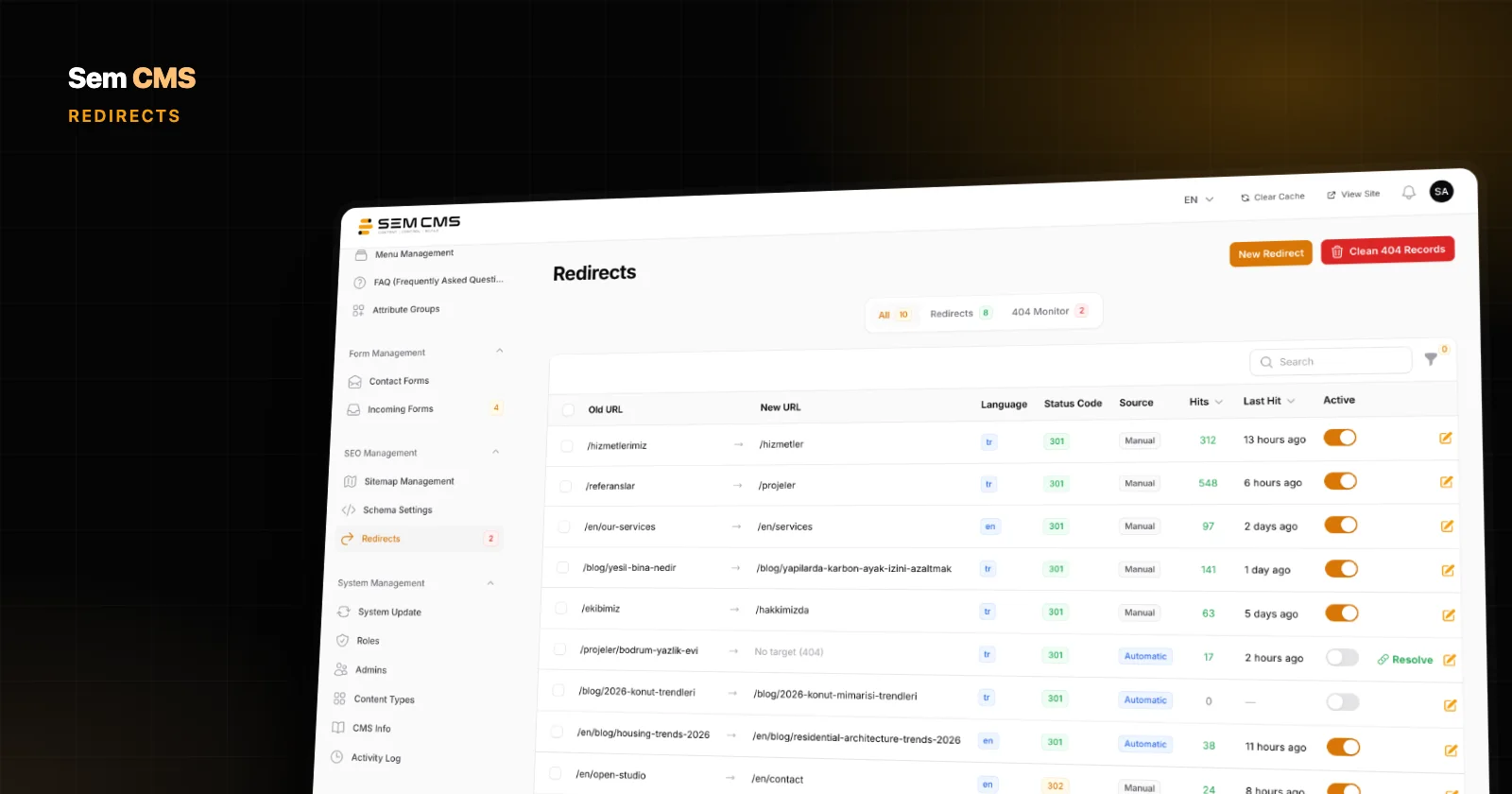
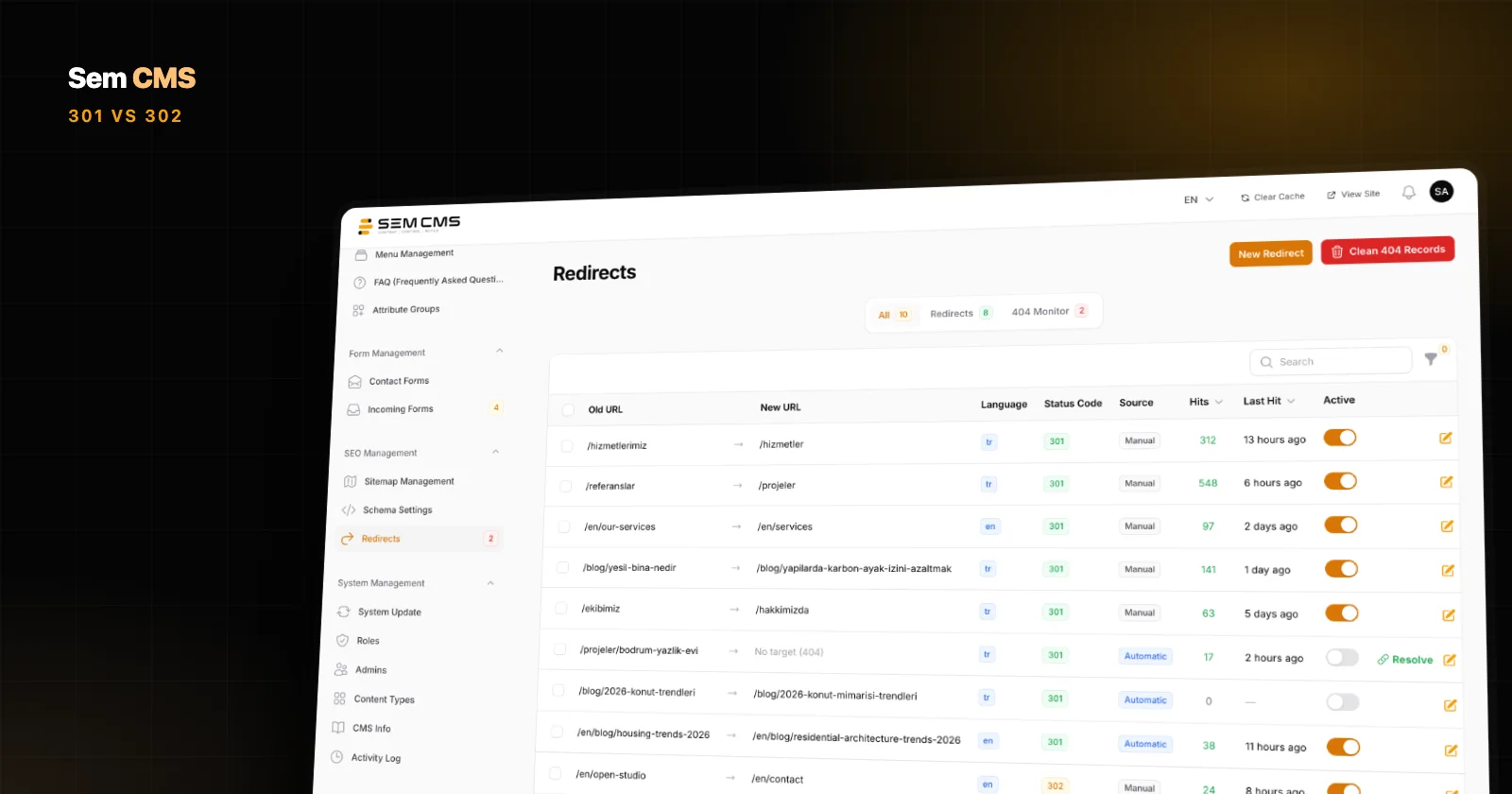
On the Redirects screen in Sem CMS, each record has an old URL, a new URL, a language and a status code: 301 permanent or 302 temporary. A notes field tells everyone on your team why a redirect exists and when a temporary 302 is due to come down. Leave the language empty and the redirect applies in every language.
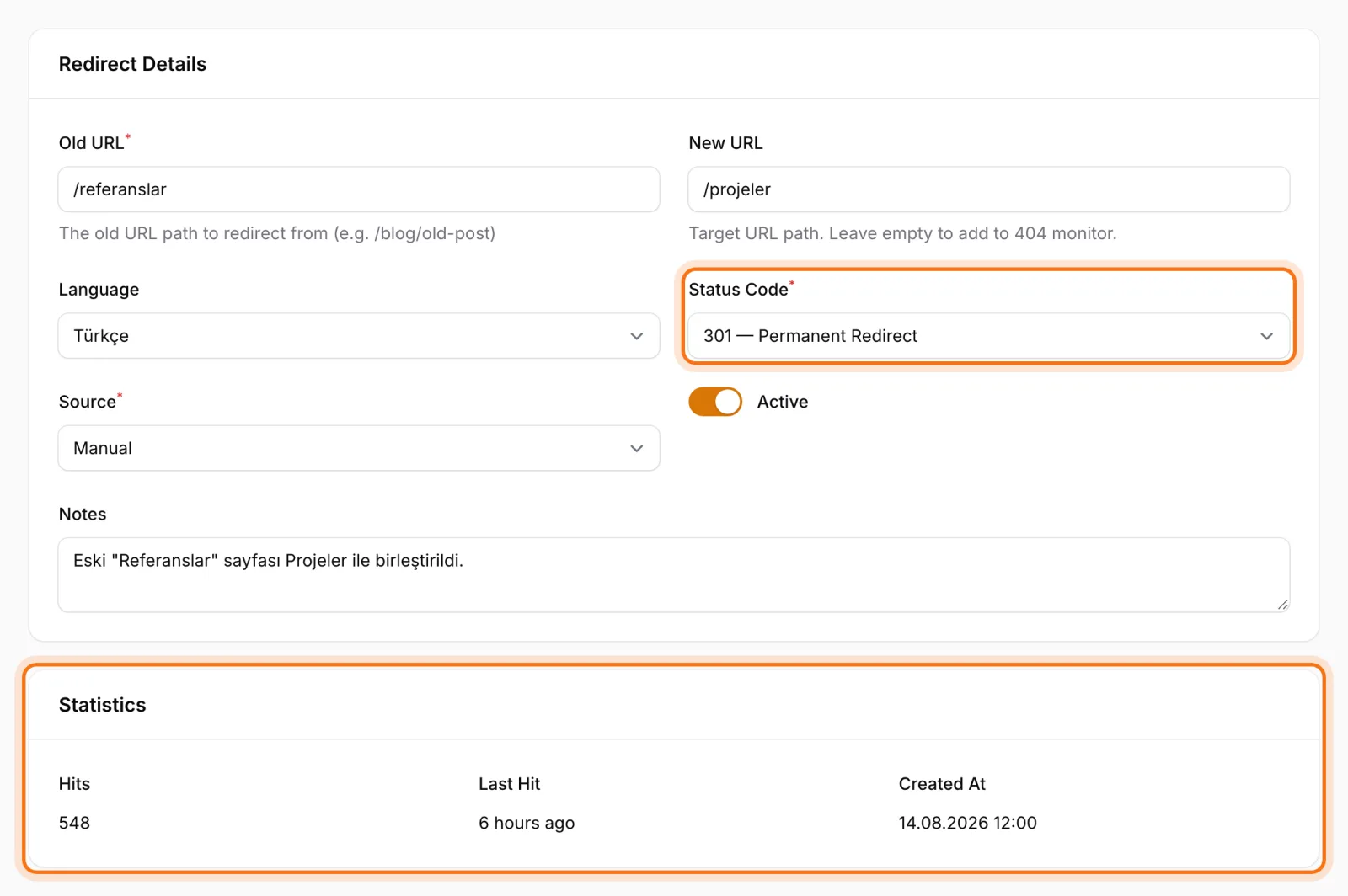
The most common case, a slug change, needs no setup at all. When you change a slug, the system prepares a 301 from the old URL to the new one for every language that changed; change a content type's URL pattern and it does the same for every affected URL. These records are added as inactive, so nothing goes live until you've reviewed and activated them.
Most of the mistakes above are prevented at system level:
- Chains: when a slug or URL pattern change prepares a new redirect, existing records pointing at the old URL are repointed to the new target, so A goes straight to C.
- Loops: you get a warning while entering a target URL that would create a loop. If a loop is detected at runtime (10-hop limit), the redirect involved is switched off automatically.
- Live pages: redirects only kick in for URLs that no longer resolve to a page, so a stray redirect can't hide a page that's live.
- When to retire one: every redirect records its hit count and last hit time, so removing one is a decision based on real traffic rather than guesswork.
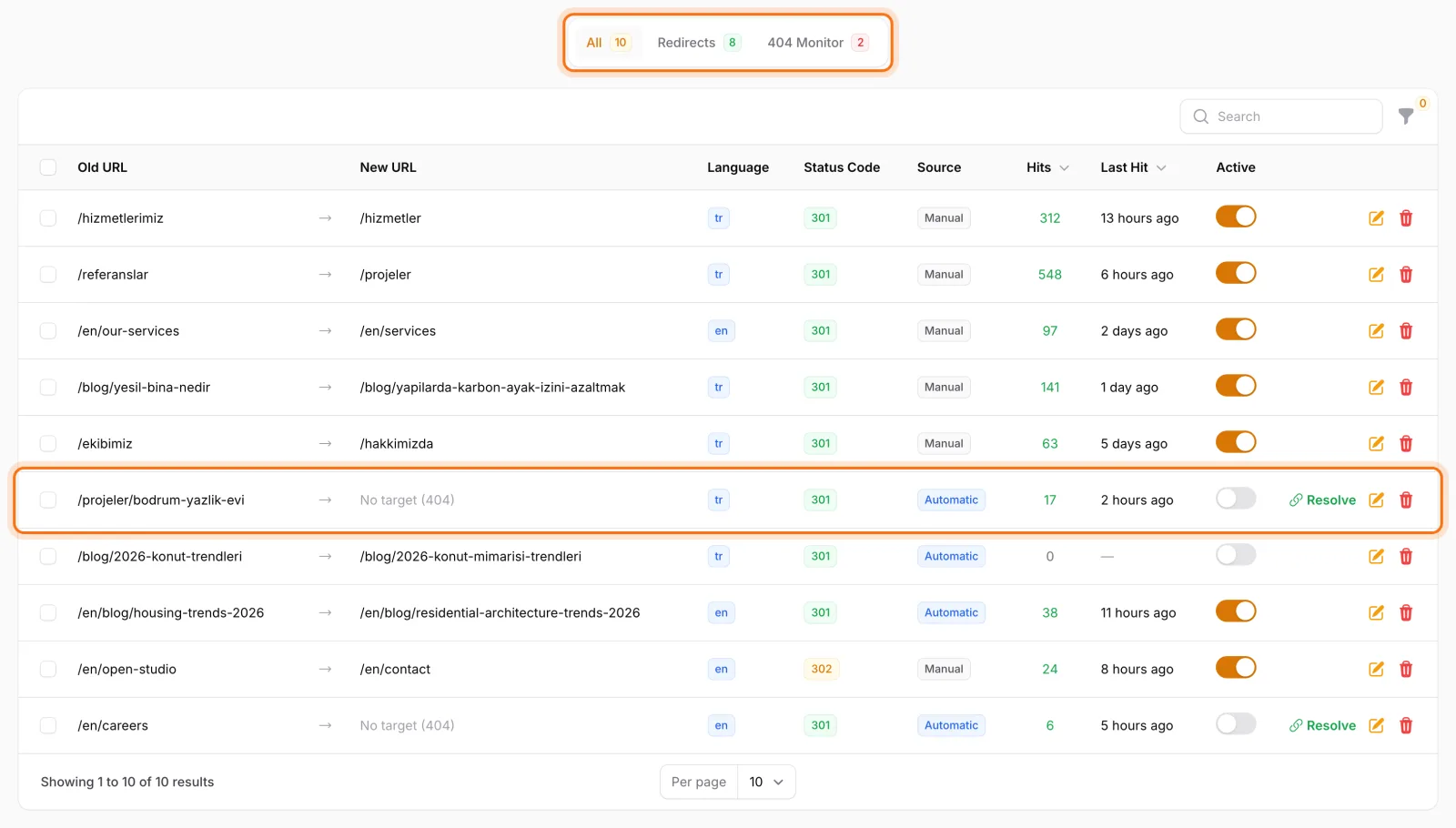
404s hit by real visitors show up in the same list. The Resolve button lets you give a 404 a target URL and a status code, turning it into a redirect on the spot.
Bottom line: the code matters as much as the redirect
The difference between 301 and 302 is a single digit, but the message to search engines is entirely different. Use 301 for permanent changes and 302 only when you'll truly go back; avoid chains and loops, and keep redirects in place for at least a year. Letting the system prepare the right redirect on every slug change, instead of relying on someone to remember, removes the most common mistakes before they happen.
We cover URL management in Sem CMS in detail in CMS redirects and custom URLs. To find and fix broken links, read 404 errors and SEO, and before switching domains or platforms, work through our website migration SEO checklist. Explore everything on our Features page or request a demo.