Search engines can read a page, but they can't always understand it. Is this text a blog post, a contact page or a list of projects? Who wrote it, and which company stands behind it? Without clear signals, search engines guess from the visible content, and when they guess wrong, rich results, clean breadcrumbs and brand details end up going to someone else.
Structured data removes the guesswork. Yet on most sites, JSON-LD is either missing entirely or stitched together from plugins that don't know about each other and contradict each other. In this post we look at how a CMS should handle structured data, and how Sem CMS generates consistent schema markup on every page without a line of code.
What is structured data, and why does it matter?
Structured data is a machine-readable description of your page, written in the schema.org vocabulary. Google's recommended format is JSON-LD: a block of code embedded in the page that visitors never see. With it, a search engine knows for certain:
- What kind of page it is: an article, a collection page, a profile page or a search results page.
- Who wrote the content, who published it, and when it was published and last updated.
- Where the page sits in your site, expressed as a breadcrumb trail.
- Which organization runs the site: its name, logo, contact details and social profiles.
Google always decides which pages earn rich results. But complete, accurate structured data is the only way to hand it everything it needs to make that call. Breadcrumb trails in search results, brand details and how AI-powered search summarizes your content all draw on this information.
One connected @graph instead of scattered schema snippets
Plenty of sites ship three or four separate JSON-LD blocks on the same page: one from the theme, one from an SEO plugin, one from a breadcrumb plugin. None of them reference each other, and the same company can end up described twice under two different names.
Sem CMS outputs a single JSON-LD block per page and links every node inside one @graph. The article points to its web page, the web page points to the website and the breadcrumb, and the publisher points to the organization, all through @id references. Search engines don't have to piece fragments together; they read a ready-made graph. The page-level nodes also carry the page language (inLanguage), so on a multilingual site each language version has structured data of its own.
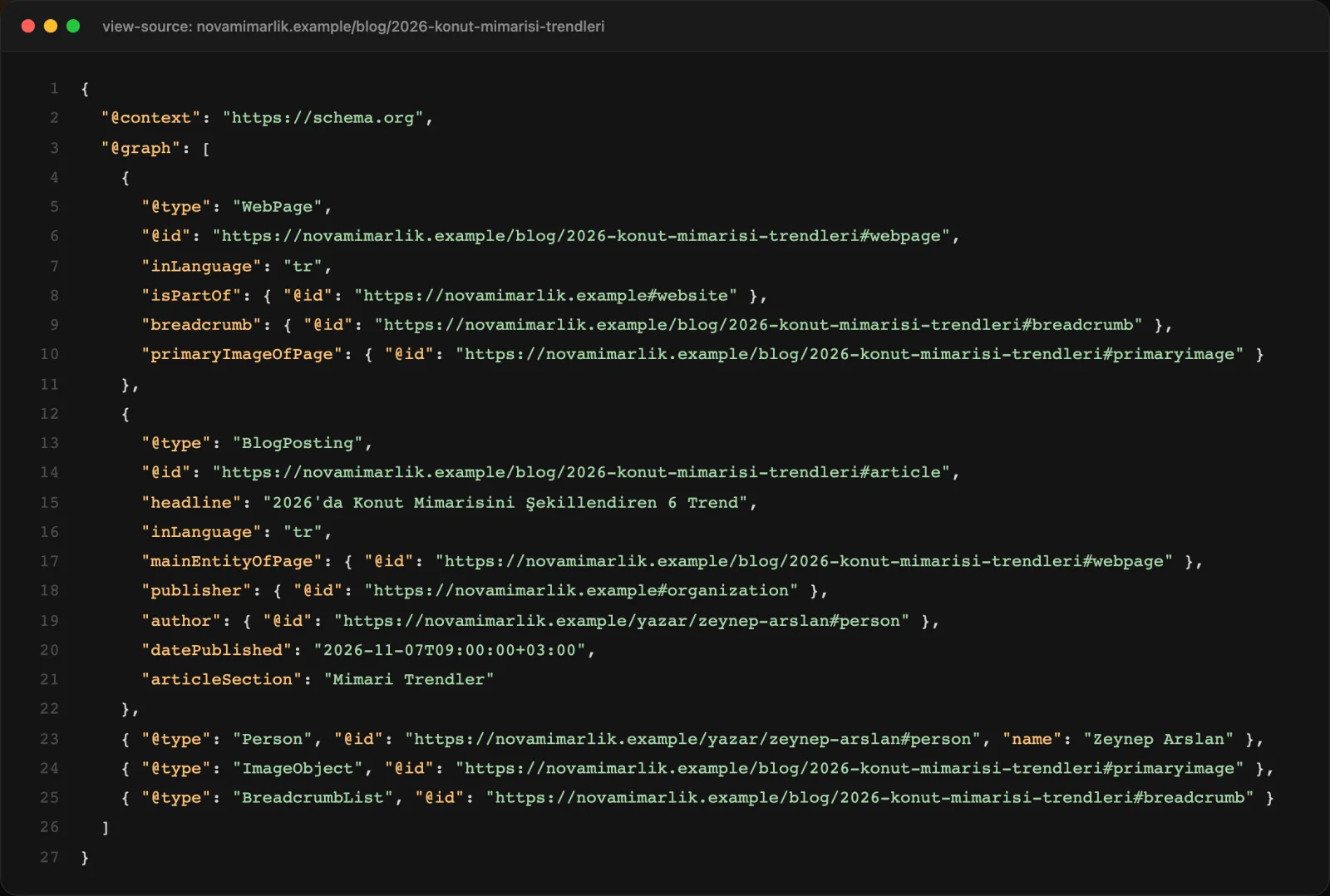
The right schema for every page type, automatically
Good structured data starts with naming the page type correctly. Sem CMS does this on its own, based on what kind of page is being rendered:
| Page | Schema generated |
|---|---|
| Home page | WebPage, BreadcrumbList, Organization and a WebSite node with SearchAction |
| Blog posts and content detail pages | WebPage, an article node (with articleSection), ImageObject, Person for the author, BreadcrumbList |
| Listing pages | CollectionPage and ItemList |
| Category and tag pages | CollectionPage and ItemList |
| Author pages | ProfilePage and ItemList |
| Site search | SearchResultsPage |
| Static pages | The page type you choose, plus Organization on the home, about and contact pages |
Breadcrumbs are only added when there are at least two steps, so you never publish a meaningless single-item BreadcrumbList. The post's category goes into the article node as articleSection, telling search engines which topic the content belongs to.
Schema control per content type
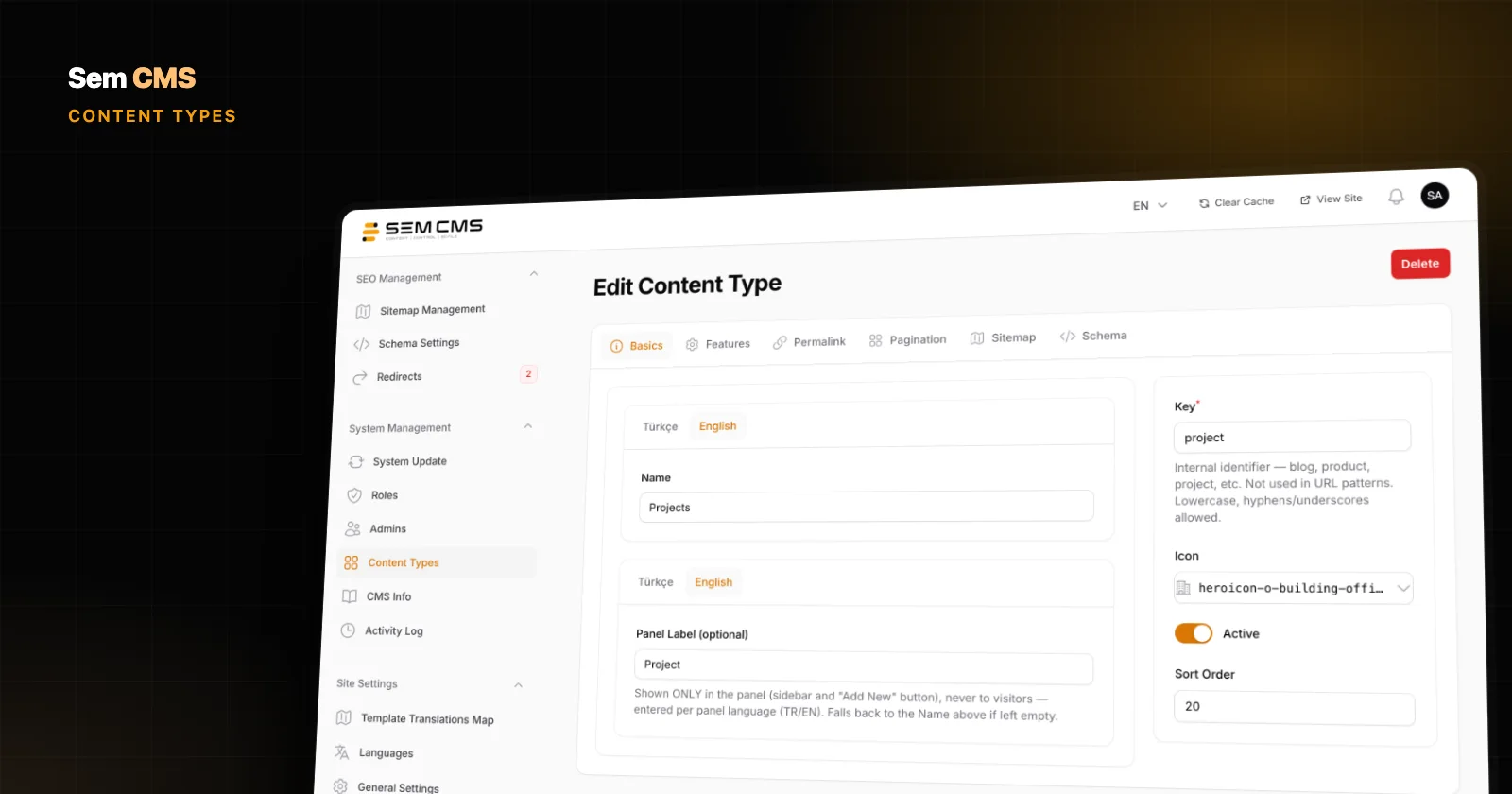
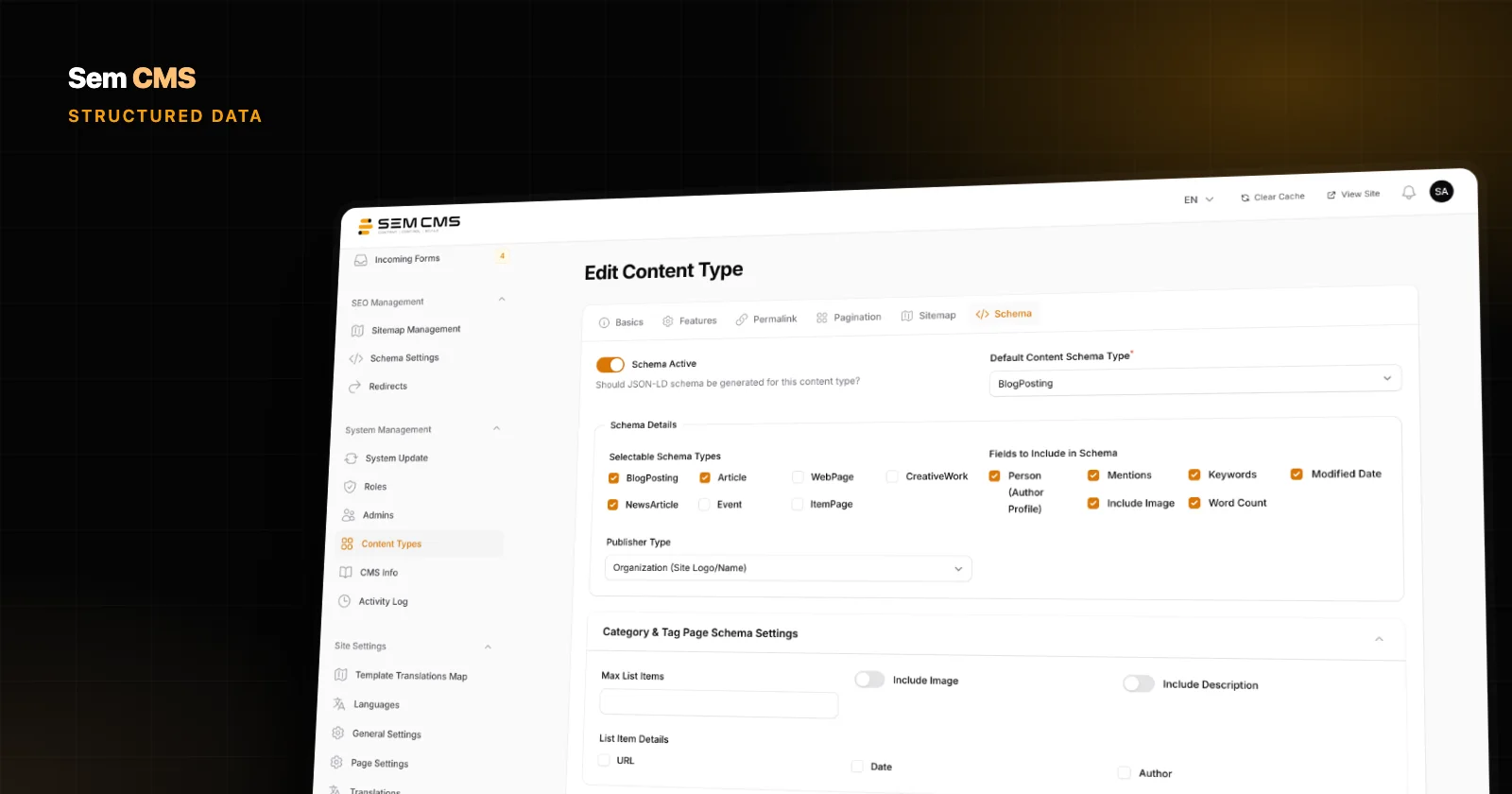
An architecture studio's blog posts and its project pages shouldn't be marked up the same way. In Sem CMS, every content type has a Schema tab on its edit screen. That's where you switch structured data on or off for the type and pick its default: BlogPosting, NewsArticle, Article, WebPage, ItemPage or CreativeWork.
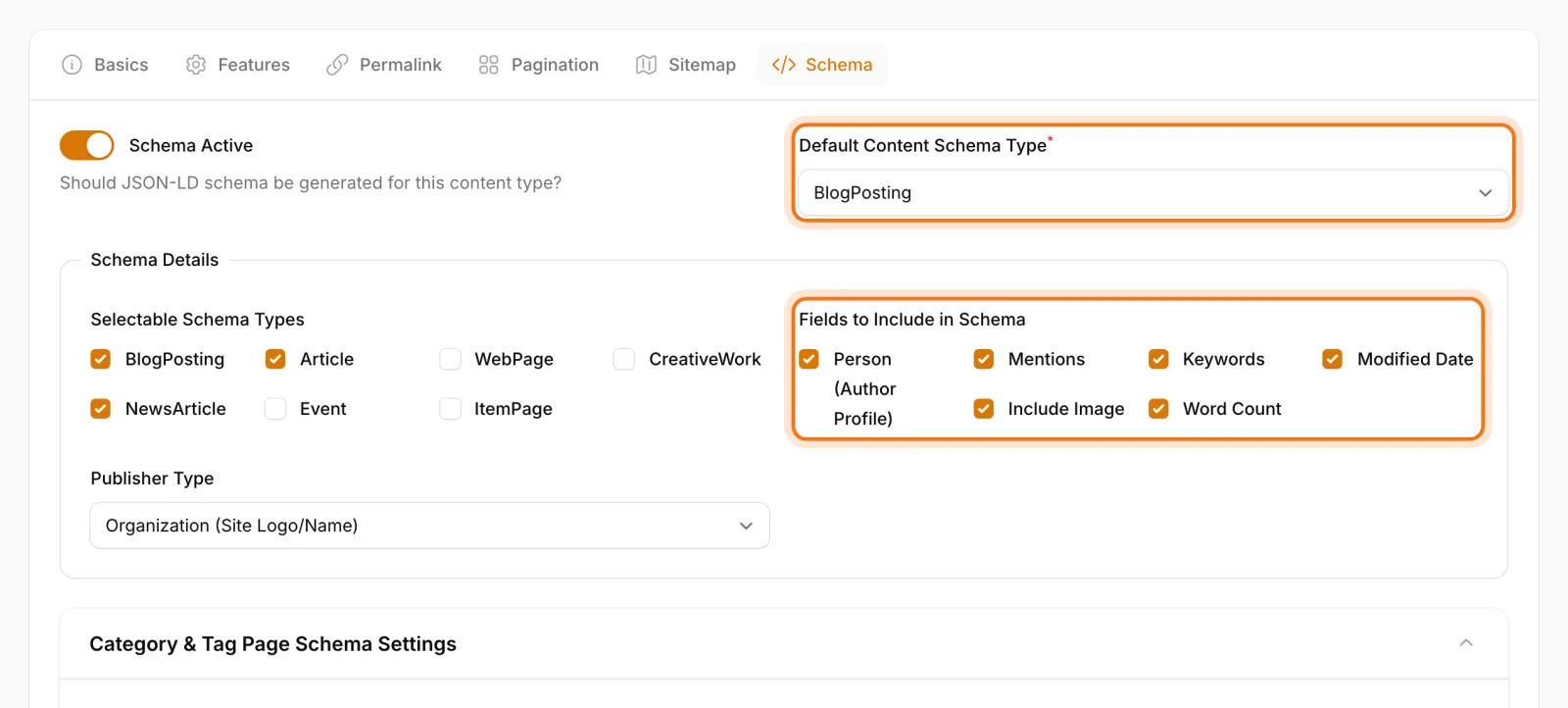
The same tab lets you choose which fields make it into the schema: author, mentions, image, keywords, word count and modified date. You decide whether the publisher is an organization or a person, so a personal blog isn't forced into the same template as a corporate newsroom. For category and tag pages, you also set how many items the list includes, whether images and descriptions are added, and whether each item carries its URL, date and author.
When a single item needs something different, say an announcement on the blog that should be marked up as news, you can override the schema type for that record only from its own edit screen. Everything else keeps using the content type's default.
FAQ sections become FAQPage markup
In Sem CMS, frequently asked questions are managed as reusable groups that can be attached to any record. Add an FAQ group to a blog post, a project, a static page, a category or a tag, and the system turns those questions into FAQPage structured data automatically. You write the questions once: they appear on the page and reach search engines as a clean question-and-answer structure.
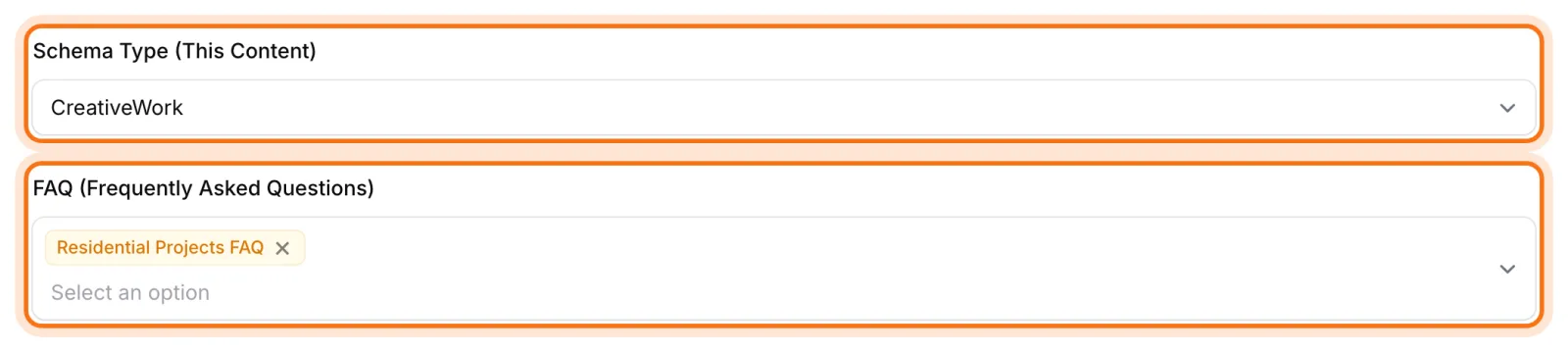
This matters more and more with AI-driven search. Clear question-and-answer pairs make it easier for your content to be understood as a direct answer to a direct question.
Enter your organization details once, keep them consistent everywhere
The Schema Settings page in the panel brings the site-wide structured data decisions together. On the Organization tab you enter the organization name (per language), founding date, phone, email and contact type. The system builds the Organization node from these; the logo comes from your site settings and the sameAs links come from the social profiles you've already set up.
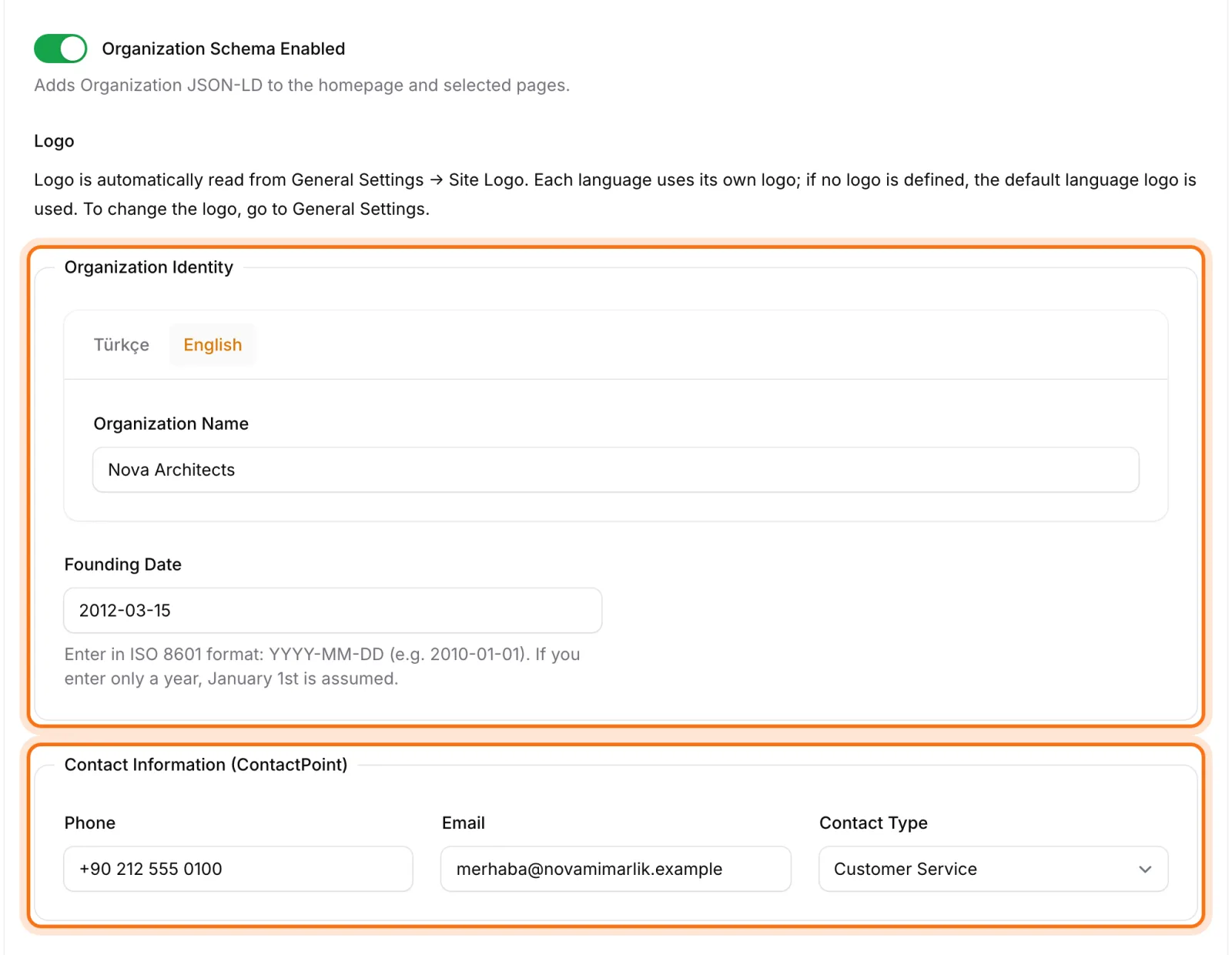
Two more settings live on the same page:
- Breadcrumbs: Set the home label per language ("Ana Sayfa", "Home") and choose the separator character.
- Static pages: Pick the default page type:
WebPage,AboutPage,ContactPage,CollectionPage,ItemPage,FAQPage,CreativeWorkorArticle. The organization node is added to the pages you've designated as your home, about and contact pages.
Because your organization details come from a single source, a new phone number doesn't mean editing dozens of pages. You update one field and all of your structured data follows.
No code, no plugins
Hand-written structured data is slow and fragile: one missing comma invalidates the whole block, and a date nobody updated sends the wrong signal. Managing it through plugins brings its own risk every time the theme or a plugin updates. In Sem CMS, structured data is generated from the content itself:
- Title, dates, author, category and featured image already live in the content, so nobody types them into a schema form.
- When you update a piece of content,
dateModifiedupdates with it. - Editors never see or touch JSON; the agency or site admin configures the rules once.
You can check the output on any page with Google's Rich Results Test or the Schema Markup Validator.
Bottom line: don't make search engines guess
Structured data is the clearest way your site can talk to search engines. Sem CMS speaks that language for every page type, with the right types, in a single connected @graph, generated straight from your content. With per-content-type control, per-record overrides, FAQPage from your FAQ groups and one central source for organization details, schema markup stops being a maintenance chore.
This is part two of our SEO series. For meta tags, canonicals and hreflang, read What makes a CMS SEO-friendly; for URL structure and redirects, see our guide to URL management and 301 redirects. Browse everything on our Features page, or request a demo to see it on your own site.